

Early microprocessors were single-core, meaning they had one main processing engine executing instructions. For example, the Intel 4004 introduced in 1971 was a 4-bit microprocessor with around 2,300 transistors and ran at roughly 740 kHz. But, as the time passed, CPUs became dramatically more sophisticated.
Until around 2005, manufacturers kept increasing the clock speed in single-core processors, and we say many CPUs with clock speeds in GHz.
Intel took a major leap in 2005 with its Pentium D (dual-core) processor. Around the same time, AMD launched its Athlon 64 X2, which was also a dual-core processor.
Fast forward today, 12- and 16-core CPUs are the new normal. In fact, we can easily buy a CPU with 24 or more cores if we want and can afford. There are CPUs like the Threadripper Pro 9995WX with whopping 96 cores. So, the limits have reached a very high level. The OS processes and software also have become much more advanced and complex, and they are utilizing these heavy CPU resources perfectly.
However, as a buyer, we are mostly confused on how many cores we should pick whenever we build a new computer or purchase a laptop. In this article, I am going to help you pick the right CPU core count based on your needs. If you want, you can go through our detailed CPU buying guide as well.
But, for most people, 8 cores are enough. 6 to 8 cores are enough for gaming, daily work, and light multitasking without paying for cores that sit idle. You can go lower, to 6 cores, only for a tight budget on basic usage and office work. Go higher, to 12 cores and more if you actually run parallel, batch-heavy work like video editing or 3D rendering. Anything that has a progress bar will benefit from a higher core count.
What exactly is a CPU core?
CPUs are really complex, and nobody exactly knows how they work at their very basic level. But, if you imagine a CPU as a factory, a core is like an individual worker or machine inside the factory. So, if a CPU has 8 cores, it means it has eight processing engines that can execute independent work at the same time.
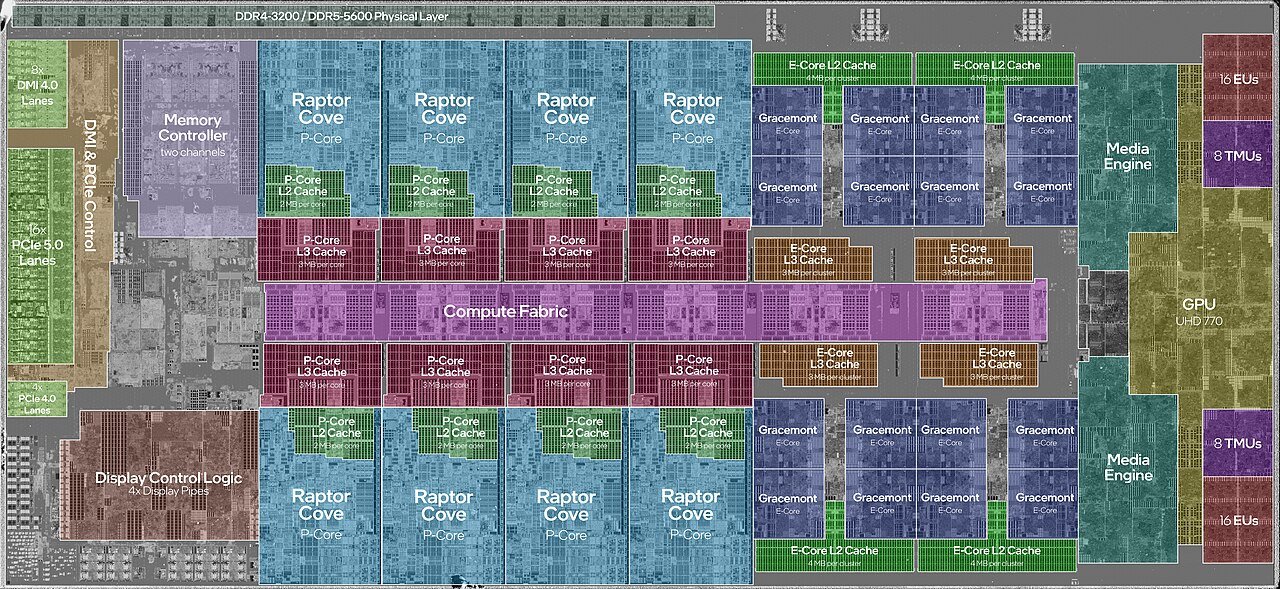
How fast the work gets done is based on the clock speed. Modern CPUs can run different cores at different frequencies as per the workload. So, a higher number of cores is always a good thing, but to get a better performance, you also have to look at the clock speed, thread count, IPC, etc.
A simple example to understand a core is like this.
With just two cores, you can do two tasks properly at a time.
Core 1: Browser
Core 2: Music/OS tasks
But, with four cores, you get room to add more simultaneous tasks. It allows your computer to multitask better.
Core 1: Game
Core 2: Video editor
Core 3: Browser
Core 4: Background tasks
There can be other scenarios. For example, if you are rendering a video, and by the way, rendering is a very CPU-intensive task. A CPU with more cores can make rendering faster by dividing the tasks between them.
Frame 1: Core 1
Frame 2: Core 2
Frame 3: Core 3
Frame 4: Core 4 and so on.
So, basically, if the software is capable of utilizing the available CPU cores effectively, it can show a dramatic performance difference between, say, an 8-core CPU and a 12-core CPU. Again, if you are running old software that mostly uses one CPU thread, more cores have no impact.
A talk about CPU cores is incomplete without threads.
A little about CPU threads and then we proceed with the core counts.
We discussed above that a CPU core is a physical processing unit inside the CPU. A thread, on the other hand, is a logical execution lane that the operating system utilizes to load the work on. So, basically, there is no thread on the hardware level. It is a software process mainly utilized to improve resource allocation and utilization inside a core.
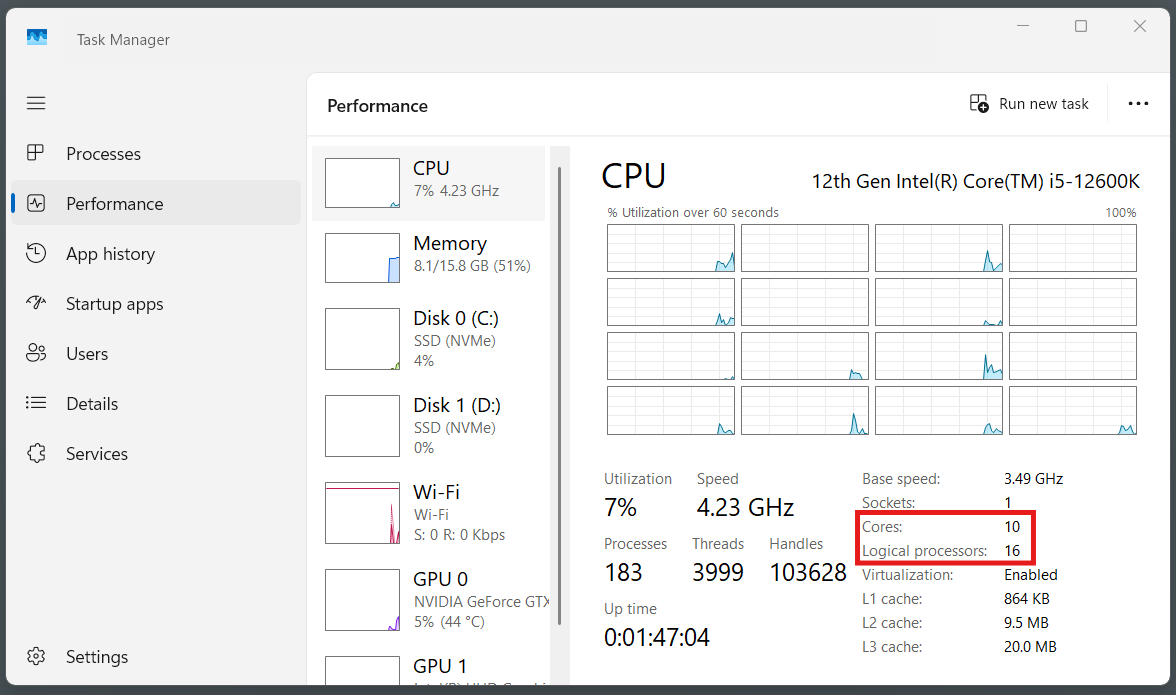
Thread operations are handled by the proprietary technology of the CPU brands. They are called hyper-threading on Intel or SMT on AMD.
For example, a 6-core CPU can have two threads per core, which the operating system sees as 12 logical processors or threads. Threads were introduced mainly to let programmers and operating systems use CPU time more effectively.
A game can use separate software threads for rendering, audio, networking, and loading assets. With multiple threads, a physical core maintains state for two hardware threads and presents both to the operating system as separate logical CPUs.
Threads aren’t extra cores. They’re the OS’s way of squeezing more work out of each core. A lot of people are confused in the threads. I would advise not to obsess over the thread count but to focus primarily on the core count.
Where does core count matter?
Modern software is designed to be fast and utilize multiple cores to be as fast as possible. The main cases where core count matters are video rendering/encoding, 3D rendering, heavy multitasking, virtual machines, and some CPU-heavy games. For ordinary regular desktop use for tasks like browsing, Office apps, file management, photo editing, etc., you do not need a high core count.
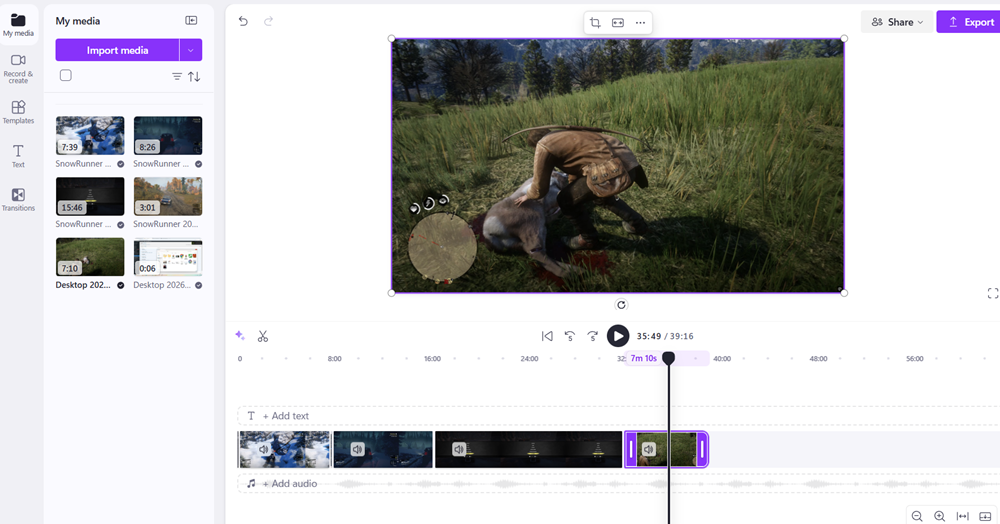
For gaming, 6-core is a good sweet spot. 8 cores is excellent if your plan is to run other background applications while gaming. Also, for gaming computers, you also look at your graphics card and choose the CPU accordingly to ensure there is no CPU bottleneck.
More cores in a CPU also mean a more expensive CPU. So, you have to consider your budget. Don’t think that more core equals more performance at a certain point. The clock speed will decide the overall performance and responsiveness of your computer. Some cases where the core speed matters more than the raw core count are everyday desktop use, gaming, web browsing, office applications, and many lightly threaded applications.
For example, a 6-core CPU with a newer microarchitecture and higher IPC can outperform an older 12-core CPU in gaming or general desktop responsiveness, even though it has half the core count.
If it shows a progress bar, more cores will help.
That progress bar is a good analogy because it means the task isn’t waiting on you. It’s chewing through a big batch of independent work. If the CPU has frames to render, files to compile, or data to encode, it can split the batch across cores freely. So, if you have more cores at the place, the work will get done faster.

Real-time tasks don’t work that way. Gaming, browsing, typing, or using your calculator needs one thing done right now, in order, then the next thing.
As a gaming example, you can’t render frame 47 of a game before frame 46 finishes, so there’s nothing to split up. In gaming or other single-core-focused tasks, the speed will come from how fast a single core reacts, not how many are available.
The “Best Core Count” doesn’t exist. It is always subjective
There is no universal best number, as you might have imagined from what we discussed above.
6 fast cores can beat 16 slower cores for gaming. At the same time, 16 cores crushes 6 for rendering. Buying max cores without a use case just wastes money.
However, there is a general rule of thumb that I follow for my new PC builds or upgrades.
- 6 cores: fine for browsing, office work, and light gaming
- 8 cores: sweet spot for most people, gaming + normal work
- 12–16 cores: editing video, 3D, streaming while gaming, heavy multitasking
- 16+ cores: only if you compile large codebases, run VMs, or do professional rendering
Again, the clock speed, threads, and IPC matter a lot along with the core count. So, do not just rely on the number of cores only.
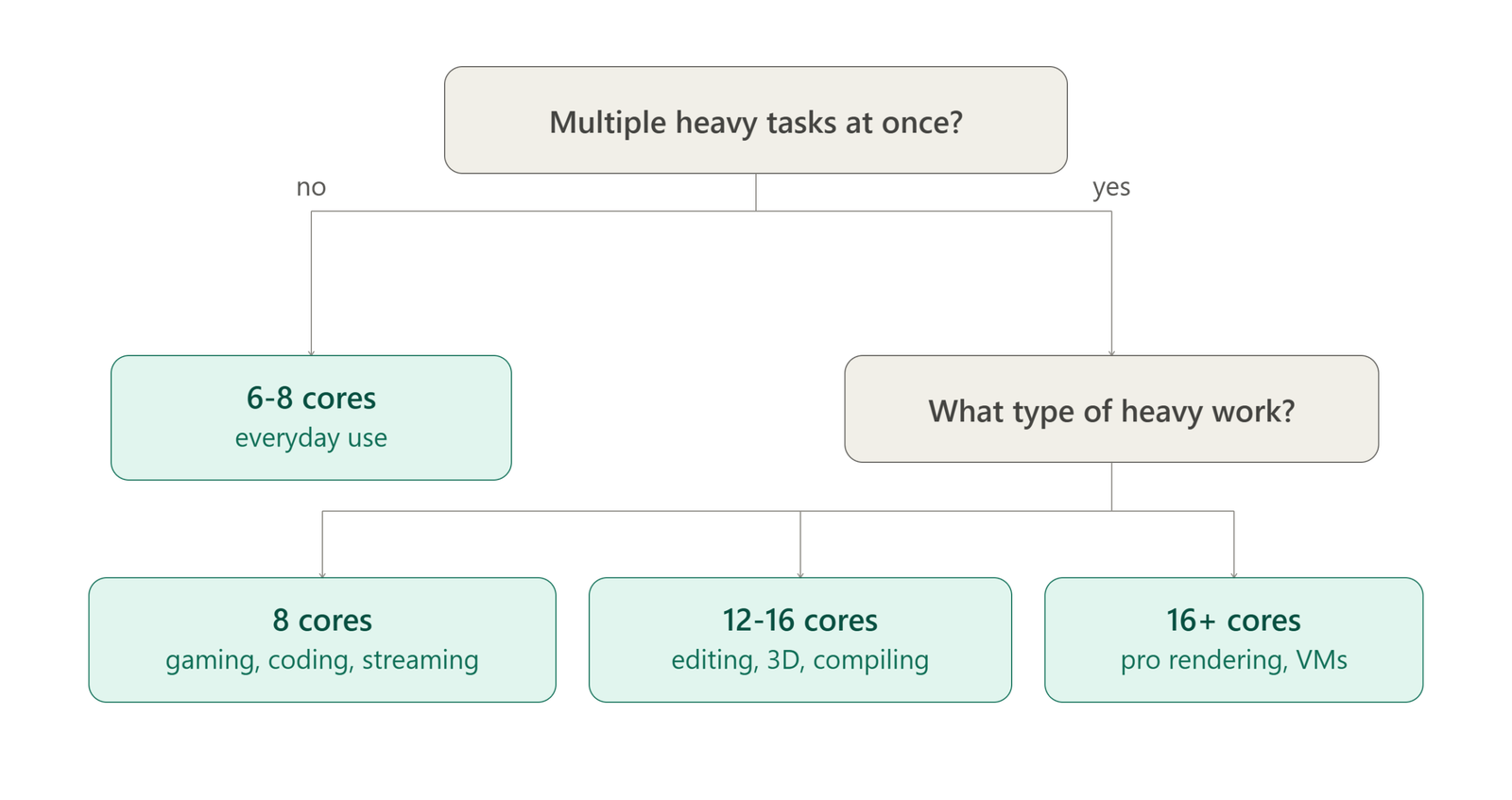
A simple decision tree to pick the right core count
I always follow this structural decision tree to choose the right CPU core count. It goes like this.
Step 1: Count what actually runs on your PC
Not how many apps are open. Count how many are doing the heavy work simultaneously. Google Chrome running with 30 tabs isn’t heavy. Chrome + video export + Slack call is.
Step 2: If you are confused, follow the general rules.
- 4-6 cores: If you browse, watch stuff, do office work, and light gaming. This is what most people are looking for, honestly. Don’t buy more.
- 8 cores: Great for gaming (even demanding titles), streaming while gaming, coding, and general “power user” use. This is the sweet spot for 90% of buyers in 2026. Save money for a good graphics card.
- 12-16 cores: You edit video, do 3D rendering, run virtual machines, or compile large codebases regularly.
- 16+ cores: You do professional work only. 4K/8K video work, heavy 3D, running multiple VMs, server-type workloads, etc. If you’re asking whether you need this, you don’t. Most of the time, it is just an overkill.
Step 3: Asking the main question
Will I ever run two or three heavy programs at the same exact time?
If the answer is yes, count how many programs and add 2 more cores to that. That’s your number.
If the answer is no, 6 to 8 cores are enough for you.
Step 4: Once you are past 8, just ignore the core count
More than 8 cores hardly add anything to your daily usage. It is only helpful with specific software that is designed to split the workload over many cores. Video encoders, 3D renderers, virtual machines, and compilers may do it. Office apps, browsers, and most games don’t use more than 6-8 well.
The bottom line is if you are not sure what you will do in a PC, 8 cores are enough for you. It handles gaming, work, light creative tasks, good enough video editing, and a lot more without wasting your money on the core that stays idle.
However, if you have specific tasks to do, your job is to understand the total workload. For most software, the developers provide minimum and recommended system requirements. Make sure to check the CPU section and understand the required specifications.
Also, there is Amdahl’s law that highlights the ineffectiveness of adding more cores in most everyday tasks and gaming for that matter. Every computer task has a splittable part and an unsplittable part. The unsplittable part sets a bar on how much performance gain you can achieve just by adding more cores.
This is the reason going from 4 to 8 cores usually helps, but going from 16 to 32 cores barely moves the needle on the same task. This is exactly why an 8-core CPU can feel just as fast as a 16-core CPU for gaming and browsing but noticeably slower for video rendering.
Intel’s P-Cores and E-Cores
AMD is straightforward with its core count. You get what is written on the box. Since Alder Lake, Intel has made the core count a little confusing for the first-time buyers. This is often called a “hybrid design.” Imagine this as the same idea as ARM’s big.LITTLE in phones. Only the P-Cores support hyper-threading.
So, an Intel CPU will have two types of cores.
P-cores (Performance cores): These are big and fast cores built for the task in front of you right now. Tasks such as gaming, opening apps, and anything that needs a quick response.
E-cores (Efficiency cores): These are smaller, slower, and built to handle background load without burning much power. Tasks like background apps, downloading, multitasking, and parallel batch work.
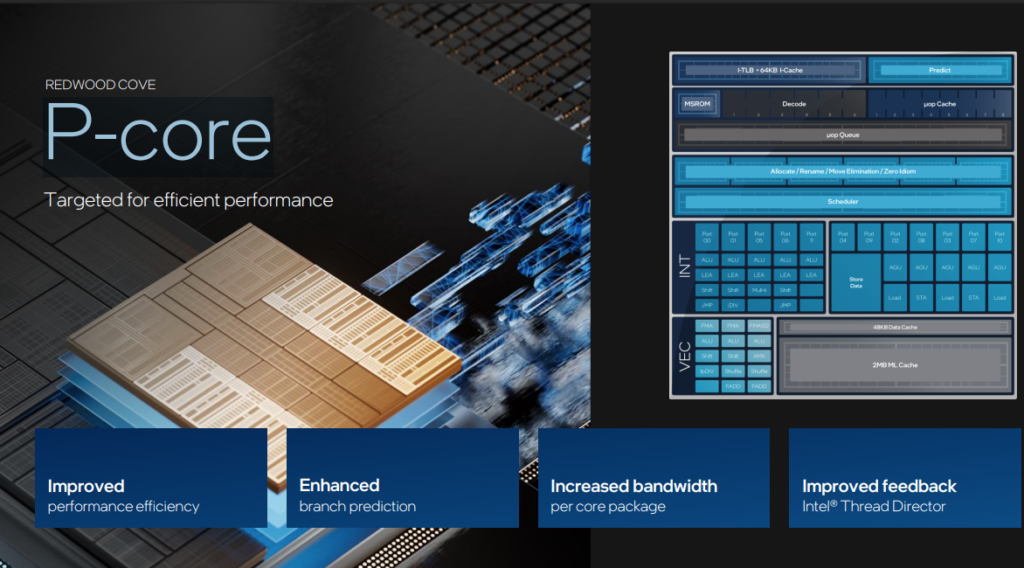
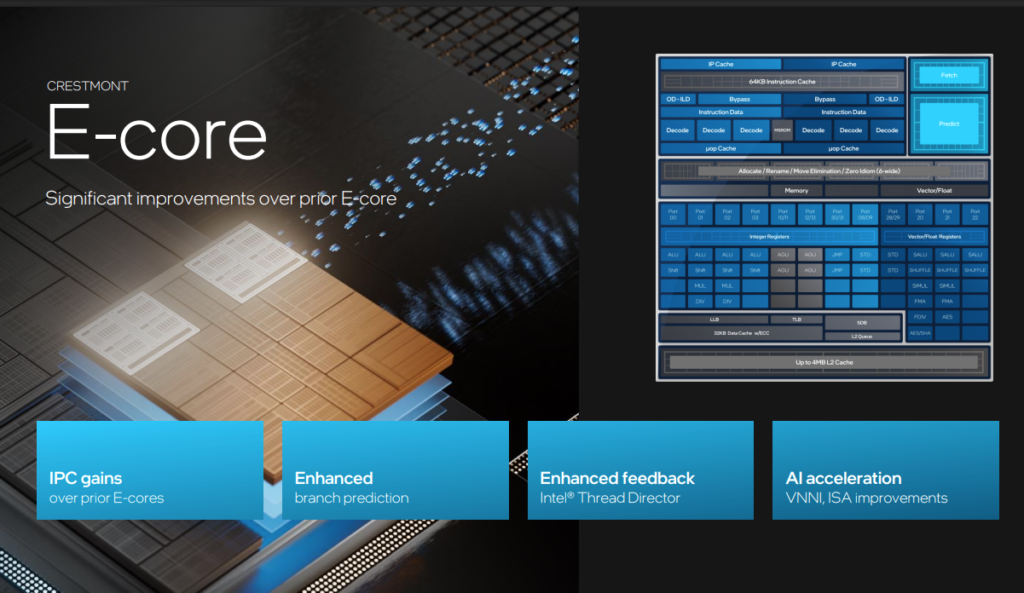
For example, Intel’s Core Ultra 9 285K has 8 P-cores and 16 E-cores. It is a 24-core chip on paper. But only 8 of those cores are the fast ones actually driving your game or your day-to-day speed. The other 16 are helper cores useful mainly for background tasks and parallel load.
A “24-core” Intel chip and a 24-core AMD chip are not equal. Although Intel defends itself, saying that matching AMD’s approach of core-for-core on a single chip is a waste of physical space (die area) and energy because a computer’s workload is rarely uniform.
Conclusion
Yes, more core count is always better if you can afford it because it adds to the CPU price. However, a wise decision is when you buy what you actually use. I hope I have provided you enough information on how many cores are right for you.