

I have discussed single-core vs. multi-core performance before on Hex Hardware. But I wasn’t able to discuss a lot on gaming specifically. Although, in other articles, I have suggested that going with a good 6 or 8-core CPU for gaming is a wise decision. 8-core is my sweet spot for gaming-only builds most of the times.
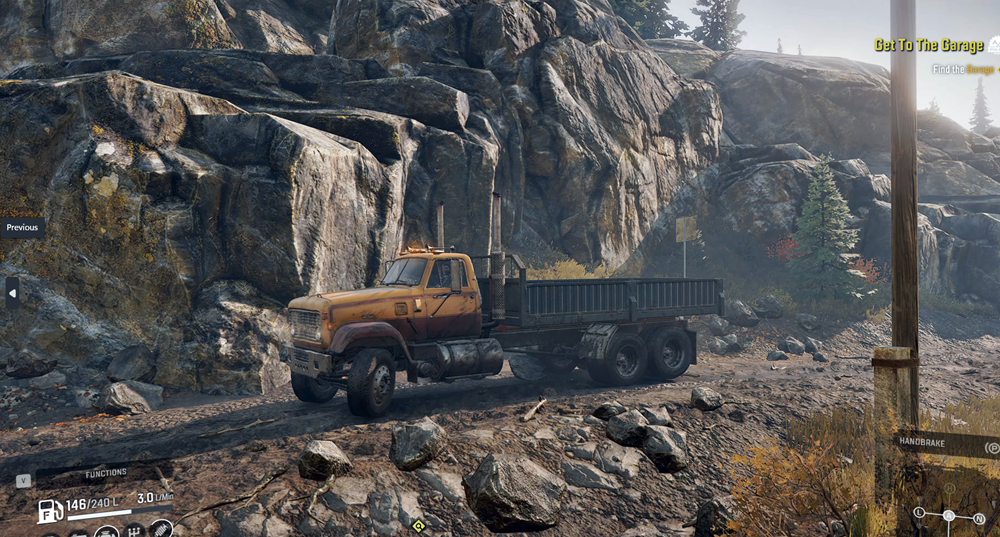
If your computer’s sole purpose is to run games and other everyday tasks, you should save money on your CPU and invest in a good graphics card. But I want to go a little deep into it and explain why a lower number of CPU cores is a good decision for gaming. Also, why are games still limited to single-threaded performance when we are able to achieve so many cores inside a single CPU?
So, let’s start with this.
Gaming is generally single-thread performance-sensitive rather than single-core focused.
What does that mean, bro?
Why did we go into threads while we were discussing CPU cores?
Hold on! Let me give you a little overview of where we are heading.
A core is a physical processing unit inside the CPU, and a CPU can have multiple of them. A thread, on the other hand, is a stream of instructions that the CPU schedules onto a logical processor. A core is the physical hardware on the CPU that does the CPU, while a thread is what an application utilizes to access that core’s resources. For the CPU manufacturer, a thread helps to utilize the core resources properly, while for an application, a thread looks like a logical processor that actually does the job for it (applications don’t care if it is hardware or not.)
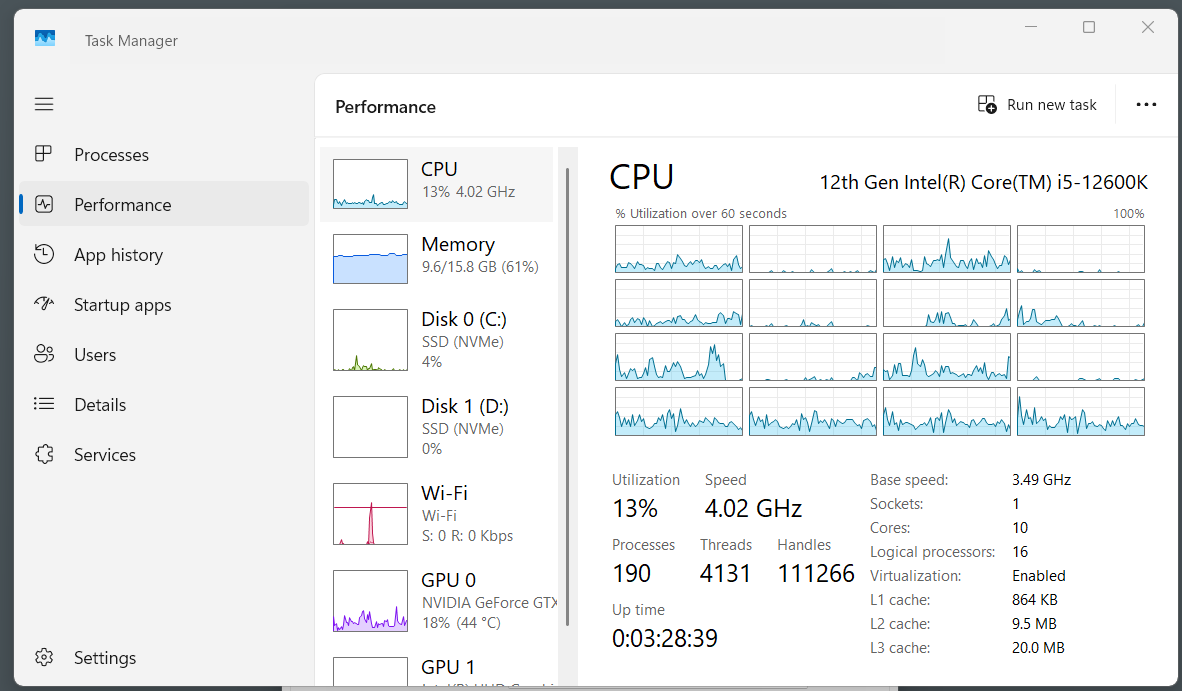
So, a game creates multiple threads for rendering, game logic, physics, audio, networking, etc. However, most of the game’s important work may be concentrated on one or a few heavily loaded threads. Actually, games generally have a lower overall computational or mathematical load (for CPU) but a very high parallel or graphical load (for the GPUs).
So, when someone says gaming depends on single-core performance, they mean the performance of faster CPU threads matters greatly, not that the entire game runs on only one core. It is very possible that a CPU utilizes more than one thread at a time. But the overall performance of specific cores is much more important as compared to the combined multi-core performance of the whole CPU.
This connects directly to the IPC (Instructions Per Cycle). For example, a CPU with a higher IPC can load the same game content faster and may help with the FPS. The point is that the gaming workload is lighter on the CPUs and heavier on GPUs. So, even 6 cores with good speed are good enough if they are essentially not bottlenecking the GPU.
Let’s make it much simpler for you.
The relation between games and CPU cores
Every game has a loop (simplified): input → update state → render → repeat, over and over, many times a second.
Early gaming engines built all this in a single loop, one thread, because it was unnecessary to utilize multiple threads for small-scale games.
There was a solid reason behind this.
Game state is a tightly connected circuit. For example, physics affects animation, character location, position affects, etc. It has to read and write the same data every frame. If you split that across threads carelessly, you can have two threads touching the same data at once, causing a crash or a bug. Single-thread was more stable, predictable, and shippable.
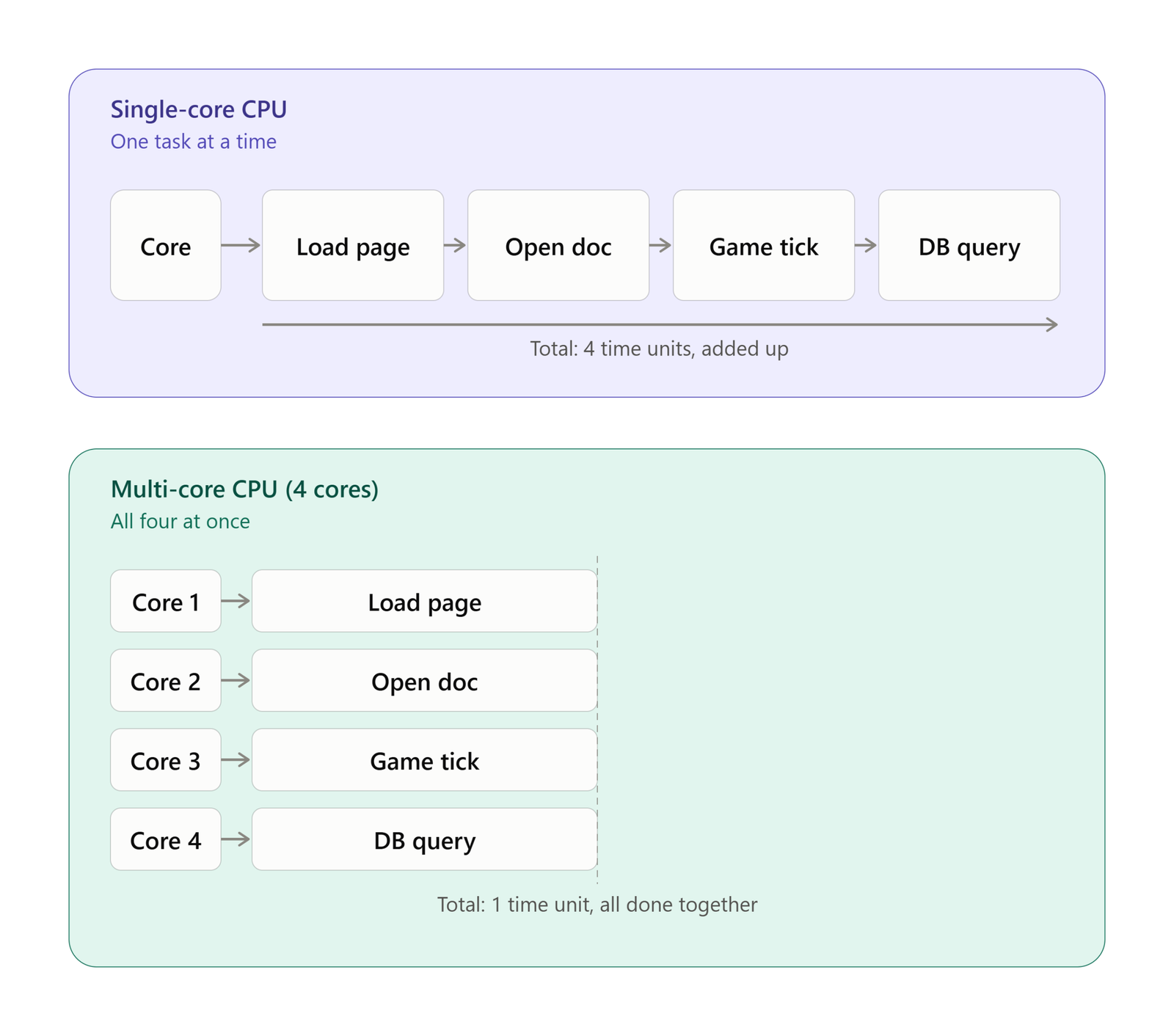
The real fix was a job system that broke the work into smaller units that read specific inputs and write to specific outputs with no shared global state. This way, scheduling became a dependency graph instead of a shared-memory mess. But most engines built before ~2010 weren’t designed for it.
However, modern game engines, especially the Unreal Engine, have changed a bit. They can use multiple CPU threads to perform work concurrently. But, still, you cannot simply take any piece of game code and move to another thread. That is the limitation of how games work on computers essentially.
The sequential nature of game loops
Before generating a frame, the game has to read your input, update the worlds, figure out what is visible, and then tell the GPU what to draw on the display. This is a simplified loop, but the idea of game loops is something like this.
Each step needs the information from the previous step. This makes the whole workload sequential in nature. Below is a simplified version of how a game loop looks like.
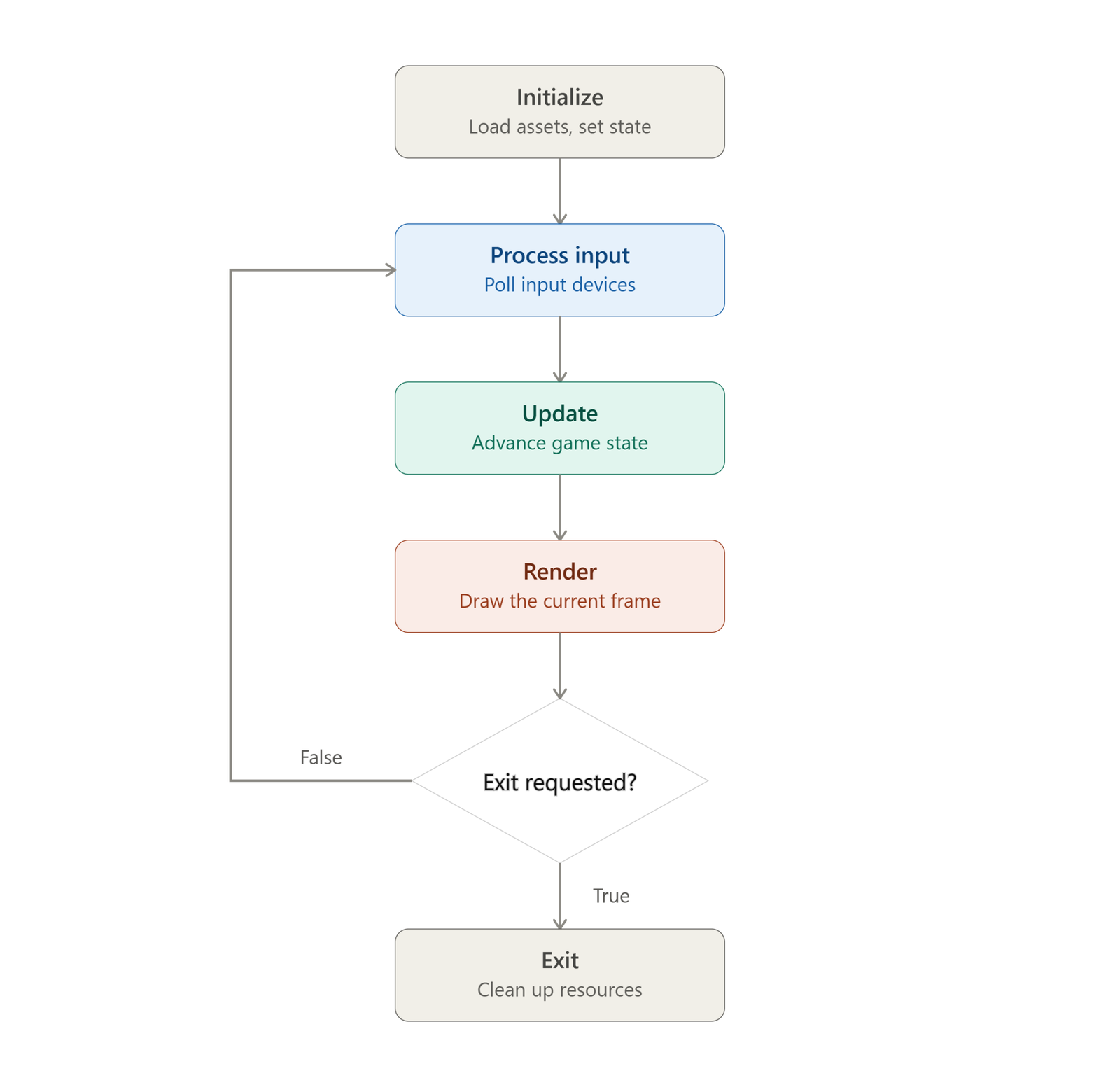
Even if you want, you can’t calculate “where is the enemy now” before you’ve calculated “where was the enemy last frame”. You can’t update the world before you have the information on a player’s location.
So, there is a dependency chain that is limited not by the CPU resources but by the inputs from other things. So, there are hardly any serious parallel operations that you can run at the same time and utilize more threads or cores at the same time. So, don’t ever think that the game developers are lazy. It’s the real limitation, or we can say, the principle on which games work that makes them single-thread focused.
Past 8, core count stops mattering for gaming.
Now, you might be building a gaming computer, which you might also use for video editing, streaming, or 3D modeling. In that case, you pick a CPU or any other component based on the tasks that require the highest computing power. But, for gaming only, you are good at 8 CPU cores. So buying a 16-core chip for gaming is paying for cores that just sit idle.
In fact, Intel itself says that games have critical-path work that can limit the benefit of increasing thread counts, and excessive thread management can itself introduce overhead. They also say that some games are lightly threaded while others can distribute work across many cores. So, there is no universal core-count requirement.
Still, more than 8 for gaming only is an overkill because even if a game distributes the workload across cores, 8 cores are generally more than enough for any game in the world.
There is an old study by Intel on its Core i9-9900K CPU on the core scaling technology. You can look at the graph below.
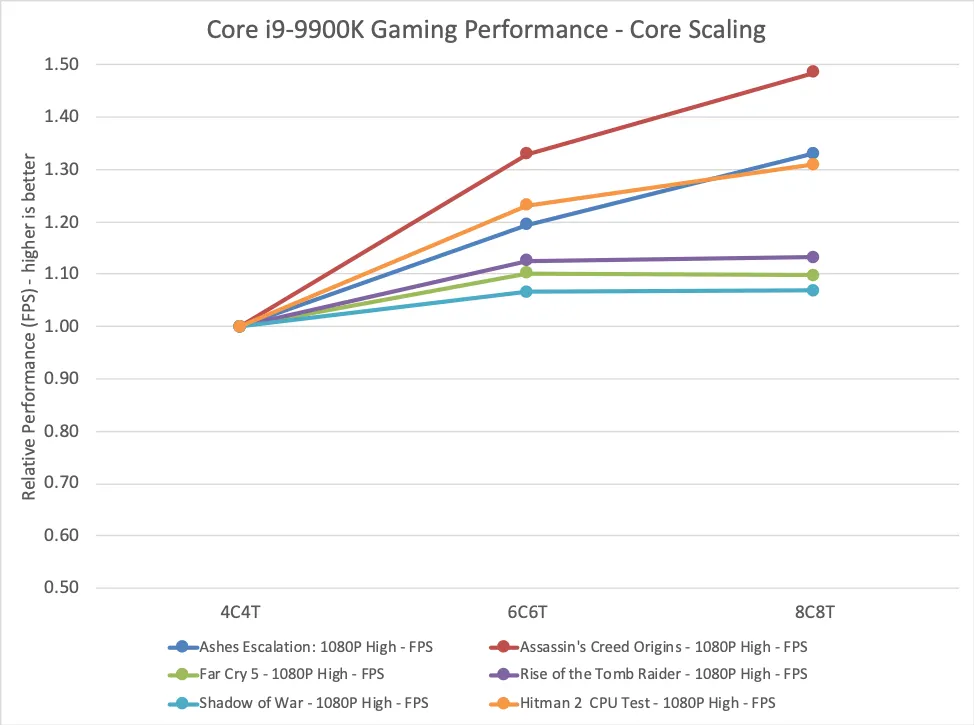
They found that moving from 8 to 12 cores produced less than 10% scaling across the tested games, with 9 of 12 games improving by 5% or less. Then moving from 12 to 16 cores produced almost no gaming benefits at all.
Cache improvements are the real thing in modern CPUs.
Your computer’s main memory has a major role in gaming performance. This is what has improved a lot in the latest AMD X3D chips. They have stacked extra cache directly into the CPU die. This helps a lot in reducing cache misses. This means the CPU has to reach out less to the slower RAM for retrieving important game data.
This is the reason an 8-core X3D chip beats the 16-core flagship CPUs in gaming. Before, clock speed used to be king, but now, there are other things that are improving. This cache improvement in AMD chips is the biggest example.
You can go for the 16-core 9950X or Intel’s i9 flagship. But they are good for tasks like building/rendering/compiling or other things where raw compute power is required. For gaming, the trends have changed.
Amdahl’s Law and gaming performance
Intel’s game dev guide for 12th-generation CPUs states that Amdahl’s Law often prevents core-count scaling beyond six to eight cores, but this does not mean that games do not use more than six to eight threads/cores.
This means that adding cores beyond 6 or 8 has no significant impact on FPS directly. But more cores can help with background processing, AI, physics, asset streaming, and other workloads, but these tasks do not necessarily determine how quickly the next frame can be completed. So, more cores does not equal more FPS after a point.
AMD has different insights on this. They say that games often suffer from SMT contention on the main or render threads during gameplay.
They also give a very important example:
“A 12-core CPU may benefit from leaving a thread available for OS interrupts and third-party applications, while a 6-core CPU may need every available compute resource.“
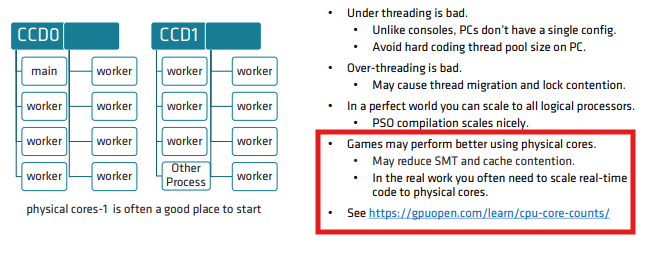
So, they are talking about having more cores, which is great for additional tasks, but for gaming, a 6-core CPU may get utilized heavily. This is the reason I recommend going for an 8-core CPU for gaming rather than a very conservative 6-core.
A little on FPS and 1% low
FPS itself creates CPU work. At 60 FPS, the CPU has roughly 16.7 ms to prepare each frame. At 120 FPS, that falls to 8.3 ms; at 240 FPS, only 4.17 ms.
However, this is not the same when we talk about the increase in the resolution. So, you can think of it like this:
The higher the GPU workload per frame, the less CPU performance influences average FPS. But the higher the desired FPS, the more CPU performance matters.
Game type also matters a lot. For example, if a game is very visually demanding, it will have less load on the CPU and more on the GPU. While a simulation, strategy game, MMO, or a very populated open-world game will have a significantly higher load on the CPU.
Aggressive upscaling through DLSS/FSR also exposes the CPUs to the higher loads.
But 1% low is where a CPU has a major role in games because it tells you how consistently the CPU and GPU are delivering frames. Intel itself tells you to look at both FPS and 1%/0.1% lows when checking gaming performance.
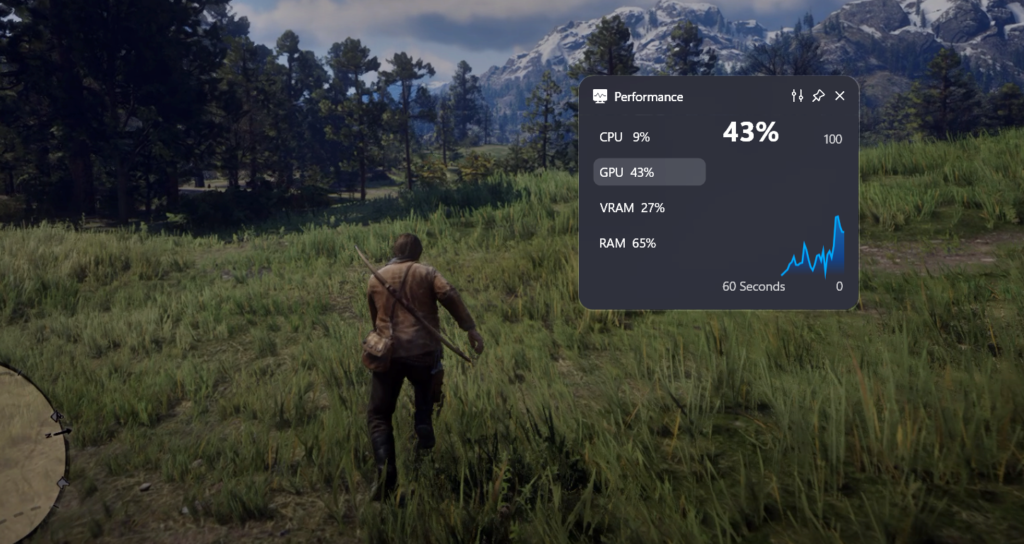
FPS is essentially the inverse of frame time. It can be calculated like this:
Frame time = 1000 ÷ FPS
This means a game running at 120 FPS should ideally produce a frame every 8.3 ms. But, if a frame suddenly takes 18 ms, you will experience a heavy interruption even though your FPS stays 120.
Now, CPU impact this frame rate because every frame is not exactly the same for a CPU. They have varying loads based on the physical calculation, population, large battles, etc. Again, because the CPU load isn’t parallel in nature, IPC will matter a lot rather than the multi-core score.
I should mention the X3D technology here again because the large cache can help a lot in gaming. Game workloads can repeatedly access large amounts of game-state data, and having more data available in the cache helps the slower retrieval from the memory. This reduce the extra load from the CPU, and it can keep working on the game logic.
Conclusion
Buying a CPU is not an easy task for most of us most of the time. But, for gaming, where you have to focus more on the graphics card and your display, the CPU has a lesser role to play in general. However, you have to make sure you do not end up causing a bottleneck for your graphics card just because you didn’t buy a good CPU. It is important to check for the CPU benchmarks and use some bottleneck calculators before you make a purchase. But, again, an 8-core CPU is good enough for gaming. Getting one from the latest generation, even with fewer cores, will be good enough for gaming. Just do not go below 6 cores.