

I recently came across this interesting discussion on r/overclocking. The opinions were divided over whether disabling CPU C-States actually improves gaming performance. Some users commented that disabling them actually improved 1% lows, reduced input latency, and gave other benefits. However, some experienced more stuttering and inconsistent performance.
What was interesting is some users argue that modern processors have become sufficiently efficient at managing their power states that disabling C-states is an outdated optimization. And I also feel the same. But I thought of giving it a try myself and seeing if there was any truth in these claims.
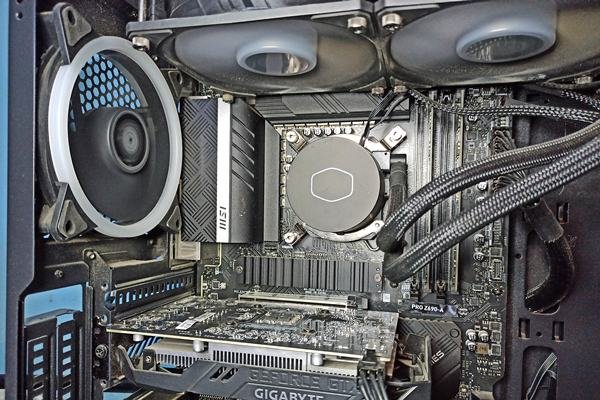
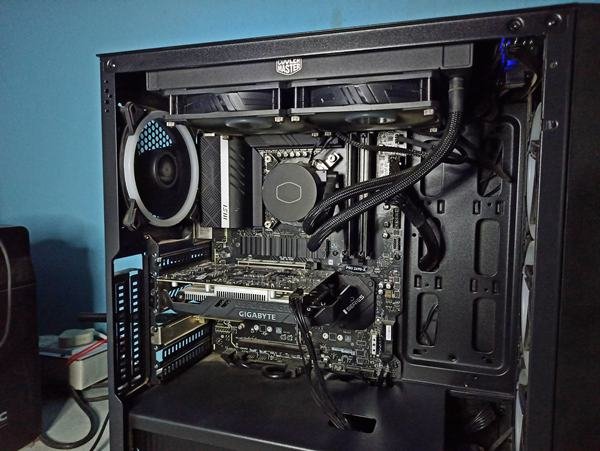
So, I decided to test it myself on my Intel Core i5-12600K system with an MSI PRO Z690-A motherboard.
Before I start this test, I am quite sure that disabling C-states does not make games faster on a modern CPU like the 12600K. The cores running your game are already in C0, so there is nothing for this setting to speed up. What it does change is idle power and temperature.
In this article, I will compare gaming performance with C-States enabled and disabled, looking at average FPS, 1% lows, frame times, CPU temperatures, and power consumption to see whether this BIOS tweak actually makes a difference.
Why do gamers disable C-states?
First of all, C-states hardly impact the average FPS because C-states don’t touch busy cores. The main goal is consistency, and gamers try to chase three things.
- Better 1% lows, because no core wakes up late
- Lower input latency, because nothing waits for a sleeping core
- Steadier clock speeds, because idle cores don’t drop into C1E
All of these three results come from one core idea. It is that if cores never sleep, nothing has to wake up in the middle of a frame. So, to get there, people set Intel C-State to Disabled in the BIOS. Some keep it on and set the Package C State Limit to C0/C1 with C1E off instead, and many also switch Windows to the High Performance Power Plan, which holds the minimum processor state at 100%.
Whether it is worth it or not is debatable. The gain is a small, occasional saving of wake-up time, while the cost is constant: higher idle power and a warmer PC. On a modern CPU, this trade usually doesn’t pay off. Especially if the game is limited by GPU, you can expect almost nothing.
My Test System
I am using my own computer for this setup. Here are the specifications.
| Component | Specification |
|---|---|
| Processor | Intel Core i5-12600K |
| Motherboard | MSI PRO Z690-A |
| Memory | 16GB DDR5-4800 |
| Storage | PCIe Gen 4 NVMe SSD |
| CPU Cooler | 240mm AIO liquid cooler |
| Operating System | Windows 11 |
What are CPU C-states actually?
The reason why CPUs have C-states is to reduce power consumption, heat generation, and unnecessary electrical activity when CPU cores are not working on anything useful. C in C-states stands for CPU, while “state” is short for “processor operating state.” The naming comes from the ACPI (Advanced Configuration and Power Interface) power-management specification, which numbers these states C0, C1, C2, and so on.
C0 is the active state, where the core executes instructions. Every higher number means a core is in deeper sleep. It saves more power, but the core takes longer to wake up.
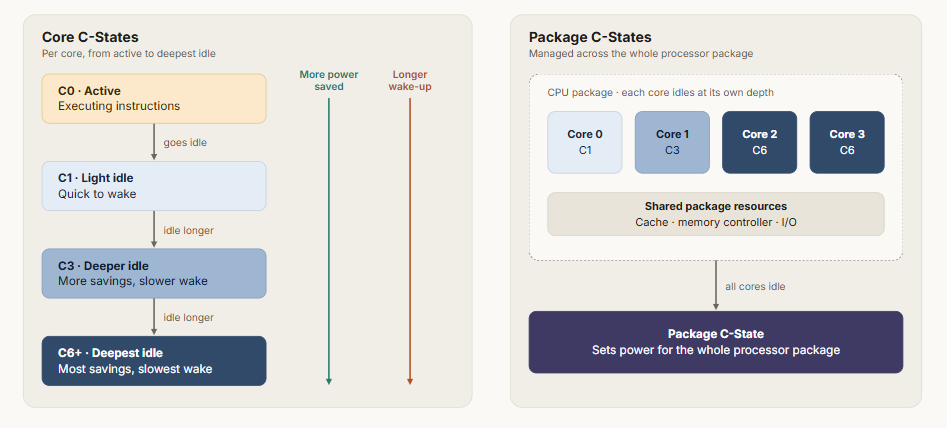
C-states only apply while a core is idle. While it is running, the CPU adjusts its frequency and voltage through P-states, which is what you see as boost clock behavior. So, a core is either running at some P-state or sleeping in some C-state.
The operating system decides which C-state a core uses. When a core runs out of work, Windows asks for an idle state. The BIOS controls which state is allowed to use. That is what Intel C-state settings do.
Why this test?
Technically, C-states are processor power-management states that control how much power a CPU consumes when it isn’t actively executing instructions. There are different states like C0, C1, C1E, and C6. C0 is the normal working state, and the higher the number, the deeper the core sleeps.
I tried this test because the reasoning sounded straightforward to me. When a CPU core becomes idle, it can enter a low-power state. Before executing new instructions, it must transition back to its active state. That wake-up is the whole argument. If a core is still climbing out of a deep sleep when the game needs it, the frame could arrive late.
How long does a core take to wake up?
It depends on the state. The Linux kernel’s intel_idle driver, which Intel contributes to, lists these exit latencies for Alder Lake.
| State | What the core does | Exit latency |
|---|---|---|
| C0 | Executes instructions | None |
| C1 | Halts and gates its clock; voltage and frequency stay the same | About 1 µs |
| C1E | Halts and drops to a lower frequency and voltage | About 2 µs |
| C6 | Power-gated; caches flushed and core state saved | About 170 µs |
Now, compare that with a frame. At 144 FPS, one frame takes 1000 ÷ 144 = 6.9 ms. The 170 µs exit from C6 is 0.17 ms, about 2.4% of that frame, and only for a core that actually slept that deep.
People apply this as a tweak because they think the CPU is held back while it plays, but that isn’t the case. C-states only apply to cores that have nothing to run. A core running your game’s main thread stays in C0 the whole time.
Now, I am not denying that games do not leave gaps. A thread finishes its work and waits for the next frame or for the GPU. But the operating system does not send a core to C6 right away for a gap of a few microseconds. It estimates how long the core will stay idle and requests a state that fits, so short gaps mostly end in C1 or C1E.
So, the 170 µs penalty only appears when a core has slept long enough to go deep and is then needed right away. This is my theory for why this tweak doesn’t work. Still, there are two real effects. C1E lowers frequency and voltage while the core is halted, so the core has to ramp back up. And a core waking from C6 starts with empty L1 and L2 caches, so its first work runs slower until they refill.
How I tested?
I changed one setting between runs: OC > Advanced CPU Configuration > Intel C-State, Enabled for the baseline and Disabled for the test. My MSI board also has the Auto option, which was the default setting, and I would recommend keeping it there if you are not sure about the C-states.
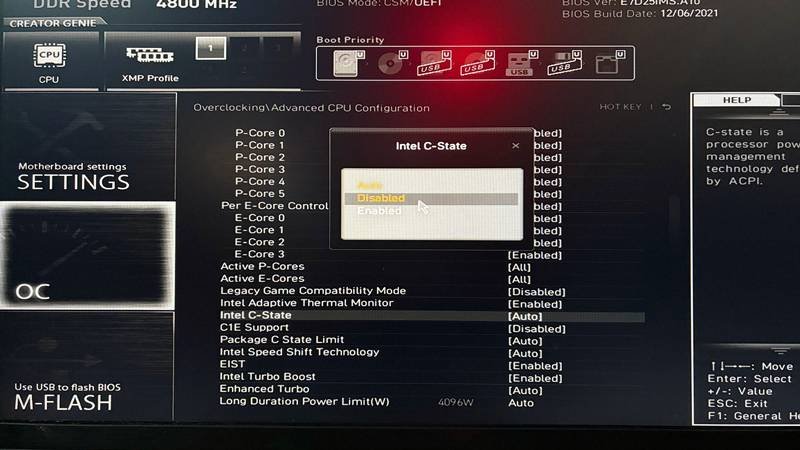
Everything else stayed the same, including memory speed, power limits, Windows power plan, and background apps.
I tested three games with repeatable benchmark sequences:
- Shadow of the Tomb Raider: Built-in benchmark.
- Forza Horizon 5: Built-in benchmark.
- Cyberpunk 2077: Built-in benchmark.
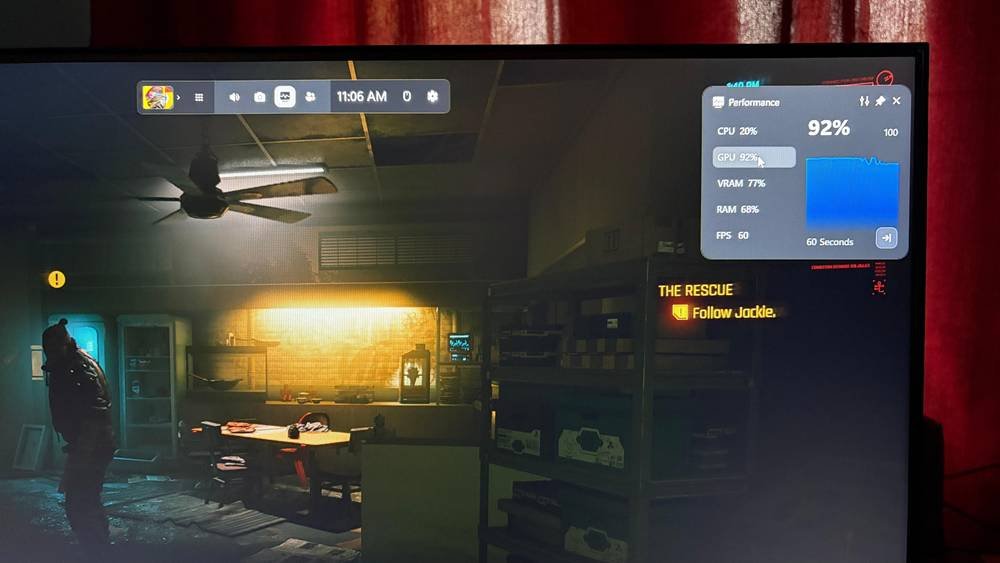
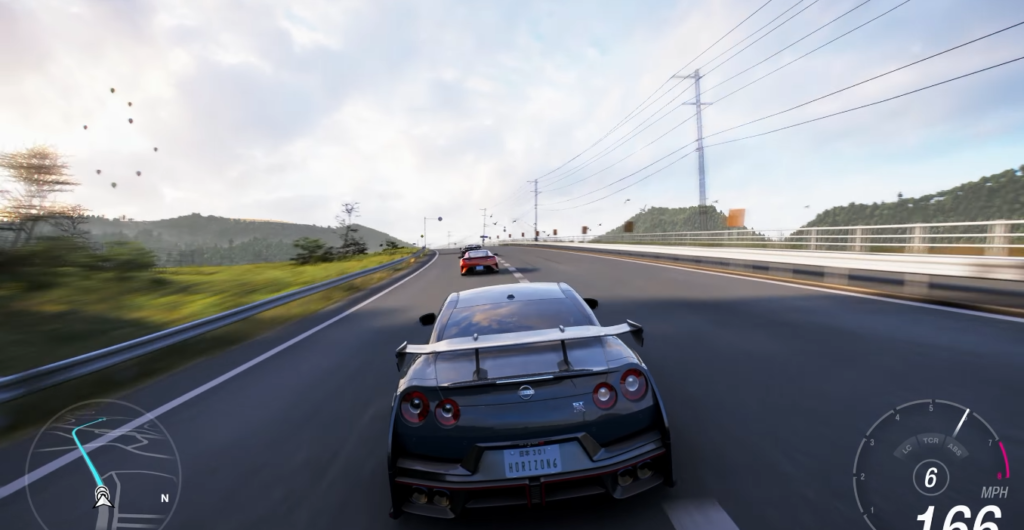
I logged frame times, CPU temperature, and package power using CapFrameX, HWiNFO64, and MSI Afterburner. Each setting was run three times and the average of three runs is recorded in the results.
Test Results
| Metric | C-States Enabled | C-States Disabled |
|---|---|---|
| Average FPS | 142.6 | 143.1 |
| 1% lows | 91.8 FPS | 92.1 FPS |
| 0.1% lows | 64.2 FPS | 64.0 FPS |
| Average frame time | 7.01 ms | 6.99 ms |
| Idle CPU temperature | 32.5°C | 34.2°C |
| Gaming CPU temperature (average) | 66.8°C | 67.4°C |
| Idle package power | 5.8 W | 9.6 W |
| Gaming package power | 74.5 W | 75.2 W |
Run-to-run variation
This is important because small differences in FPS do not necessarily indicate an actual performance improvement.
| Metric | C-States Enabled (3 runs) | C-States Disabled (3 runs) |
|---|---|---|
| Average FPS | 142.1 / 143.0 / 142.7 | 143.4 / 142.8 / 143.1 |
| 1% lows | 91.2 / 92.4 / 91.8 | 91.6 / 92.5 / 92.2 |
| 0.1% lows | 63.1 / 65.0 / 64.5 | 63.7 / 64.8 / 63.5 |
Should you disable C-states for gaming?
I would leave C-states enabled. My own testing can back this up, and I think all the systems will respond like that. A setting that raises idle power and temperature should give you something measurable in return, and on a modern CPU it generally doesn’t.
The only time I might change my decision is a CPU-limited competitive game on a high refresh rate monitor. There you can test it in five minutes and revert it if the numbers don’t move. And do not turn them off on a PC that sits idle most of the day.
If your real problem is stutter, check the usual causes first: E-cores picking up game threads, a CPU that is throttling, or a game that wants more CPU cache. Those are far more likely culprits than a core waking up.
Thanks for reading!